Performance y danza
Crea coreografías y movimientos corporales con ritmo y expresividad.
Guía oficial del modelo y generador online
Genera movimiento humano expresivo, microexpresiones, cámara reactiva y vídeo cinematográfico estilizado. Usa debajo el generador de vídeo con IA Hailuo 2.3 para crear desde un prompt, una imagen, un par de fotogramas o referencias compatibles.
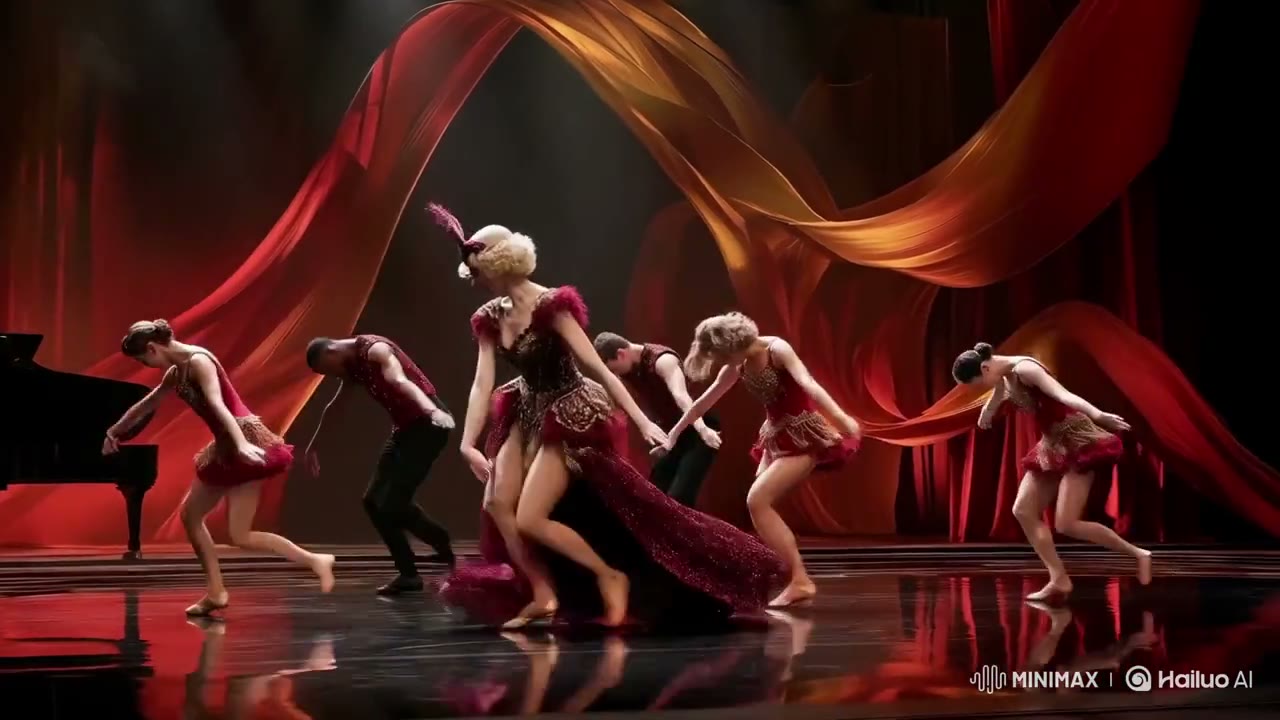
El espacio de vídeo completo de Open Sora está integrado aquí y comienza con Hailuo 2.3 seleccionado. Puedes comparar variantes o cambiar de modelo sin perder el resto del flujo.
La generación requiere una cuenta y consume créditos según modelo, variante, duración, resolución y otros ajustes. Las tareas fallidas se reembolsan automáticamente.
Entiende dónde encaja Hailuo 2.3 antes de invertir tiempo en referencias, prompts y generaciones a resolución final.
Hailuo 2.3 se centra en el rendimiento humano y el movimiento visual expresivo. Resulta útil para danza, primeros planos y animación estilizada cuando la postura, el gesto facial y la respuesta de la cámara importan más que el audio nativo.
Para directores de performance, animadores, marcas de moda, comercios electrónicos y creadores sociales, la ventaja práctica no es una sola cifra. Es cómo Hailuo 2.3 combina Texto a vídeo e imagen a vídeo con Prompts de texto y una imagen inicial. Esa combinación determina si puede conservar una dirección visual preparada o debe inventar gran parte de la escena solo desde el lenguaje.
En esta página, investigación y producción comparten un flujo. Lee las especificaciones oficiales, estudia el material fuente, usa la estructura de prompt y trabaja en el generador integrado. El modelo predeterminado es Hailuo 2.3, mientras siguen disponibles las funciones de subida, progreso, historial, reutilización y descarga de Open Sora.
Usa estas capacidades oficiales para planificar entrada, formato, duración y nivel de producción antes de generar.
Empieza por trabajos donde los controles más potentes del modelo aporten una ventaja práctica, en lugar de elegir solo por la resolución máxima.
Crea coreografías y movimientos corporales con ritmo y expresividad.
Anima miradas, respiración y emoción sin perder la identidad.
Da vida a ilustraciones con movimiento coherente con su estética.
Convierte imágenes de moda o producto en piezas visuales dinámicas.
Este medio oficial se descargó del material de lanzamiento o producto del desarrollador y se optimizó para reproducirse rápido en esta página.
Material de fuente oficial: Vídeo oficial de lanzamiento de MiniMax, descargado y optimizado para esta guía.
Pasa de una idea creativa a una generación configurada con Hailuo 2.3 sin salir de esta página.
Describe sujeto, acción, entorno, cámara, estilo, tiempo y sonido. Si tienes medios de referencia, súbelos y explica la función de cada archivo.
Mantén Hailuo 2.3 seleccionado, elige variante, modo, duración, relación de aspecto, resolución y audio y revisa el coste en créditos.
Inicia la tarea, sigue el progreso en el panel de resultados, revisa el vídeo, reutiliza sus ajustes para otra toma o descarga el archivo final.
Las capacidades que definen cómo Hailuo 2.3 gestiona dirección, referencias, movimiento, sonido y entrega.
Representa gestos, desplazamientos y cambios de peso con energía clara.
Añade cambios sutiles de mirada, boca y emoción a los primeros planos.
Conserva una dirección artística fuerte en imagen real o animada.
Hace que ropa, cabello y elementos del entorno respondan a la acción.
Equilibra exploración rápida y mayor calidad en la animación de imágenes.
Entrega clips detallados listos para edición y acabado posterior.
Un buen prompt para Hailuo 2.3 funciona como un briefing de producción compacto: aporta sujeto, acción ordenada, plan de cámara, dirección artística y banda sonora.
Sujeto + acción ordenada + entorno + cámara + iluminación + estilo visual + tiempo + diálogo y sonido + restricciones de consistencia
“Plano medio de una bailarina contemporánea girando lentamente en un estudio oscuro. El peso pasa del pie derecho al izquierdo; brazos y tela continúan el impulso. La expresión cambia de concentración a alivio. La cámara retrocede suavemente, luz lateral azul y textura cinematográfica.”
Especifica postura inicial, articulaciones, transferencia de peso y velocidad.
Indica mirada, respiración y evolución emocional del personaje.
Explica cómo deben moverse líneas, tejidos, partículas y cámara.
Elige nivel y formato según la fase creativa. Los ajustes de borrador sirven para encontrar el plano; los premium, para terminar una dirección que ya funciona.
| Capacidad | Compatibilidad de Hailuo 2.3 |
|---|---|
| Variantes | Animación de imagen Standard y Fast |
| Modos de generación | Texto a vídeo e imagen a vídeo |
| Entradas | Prompts de texto y una imagen inicial |
| Control de referencias | Una imagen inicial |
| Duración | 6 o 10 segundos |
| Resolución | 768p y 1080p |
| Relaciones de aspecto | 16:9 horizontal cinematográfico |
| Audio | Generación visual preparada para sonido en posproducción |
El vídeo con IA es más fiable cuando cada plano contiene una idea visual clara. Revisa los detalles importantes antes de publicar y trata la primera generación como una toma dirigida que puedes perfeccionar.
Las interacciones complejas, oclusiones rápidas, texto legible, logotipos, manos y cantidades exactas aún pueden variar. Usa referencias claras, simplifica acciones saturadas y revisa la continuidad fotograma a fotograma.
Una resolución mayor no sustituye la dirección artística. Define historia, composición, movimiento y sonido con un ajuste económico; después lleva la mejor dirección a la variante o resolución premium.
Hailuo 2.3 es un modelo de generación de vídeo con IA de MiniMax. Hailuo 2.3 se centra en el rendimiento humano y el movimiento visual expresivo. Resulta útil para danza, primeros planos y animación estilizada cuando la postura, el gesto facial y la respuesta de la cámara importan más que el audio nativo. Open Sora integra el generador completo en esta página para que pases de investigar a crear sin abrir otro espacio de trabajo.
Hailuo 2.3 admite Texto a vídeo e imagen a vídeo. Puedes partir de una idea escrita, guiar el inicio con una imagen o usar referencias adicionales cuando composición, identidad o movimiento necesiten más control.
Puedes crear vídeo de 6 o 10 segundos con salida en 768p y 1080p. Usa una resolución menor para explorar rápido y la opción más alta adecuada cuando necesites evaluar detalle o entregar el plano.
Hailuo 2.3 admite Generación visual preparada para sonido en posproducción. Incluye diálogo, ambiente, música y efectos como partes deliberadas del prompt para que el sonido acompañe la acción y el ritmo emocional.
El modelo acepta Prompts de texto y una imagen inicial. Su flujo de referencias admite Una imagen inicial. Asigna a cada archivo una función clara en el prompt e indica qué controla identidad, estilo, composición o movimiento.
Hailuo 2.3 es una buena opción para directores de performance, animadores, marcas de moda, comercios electrónicos y creadores sociales. La elección depende del plano: usa los datos, funciones, ejemplos y consejos de esta página para valorar control, velocidad, resolución, sonido y referencias.
Un prompt fiable define sujeto, acción, lugar, cámara, iluminación, estilo visual, tiempo y sonido. Ordena los eventos cronológicamente, escribe el diálogo exacto entre comillas y declara lo que debe mantenerse. Identifica cada referencia subida.
Sí. El generador completo de Hailuo 2.3 está justo debajo del hero de esta página. Elige texto, imagen, fotogramas o referencias, configura los controles, revisa el coste visible en créditos e inicia la generación sin salir de la guía.
Las capacidades y los medios de esta página se investigaron en las páginas de producto, anuncios y documentación oficiales del desarrollador.
Abre arriba el generador completo de vídeo con IA Hailuo 2.3, añade tu prompt o referencias y convierte el próximo plano de tu lista en un vídeo terminado.
Empezar a generarVer todos los modelos