Kling 4.0 by Kuaishou

Official model guide and online generator

Kling 4.0 AI Video Generator

Plan shots of up to 30 seconds with as many as 10 keyframes, mix 15 image, video and audio references, edit existing footage, and get stereo sound on every clip. Kling 4.0 Flash covers quick 720p drafts. Use the Kling 4.0 AI video generator directly below to create from a prompt, image, frame pair, or supported references.

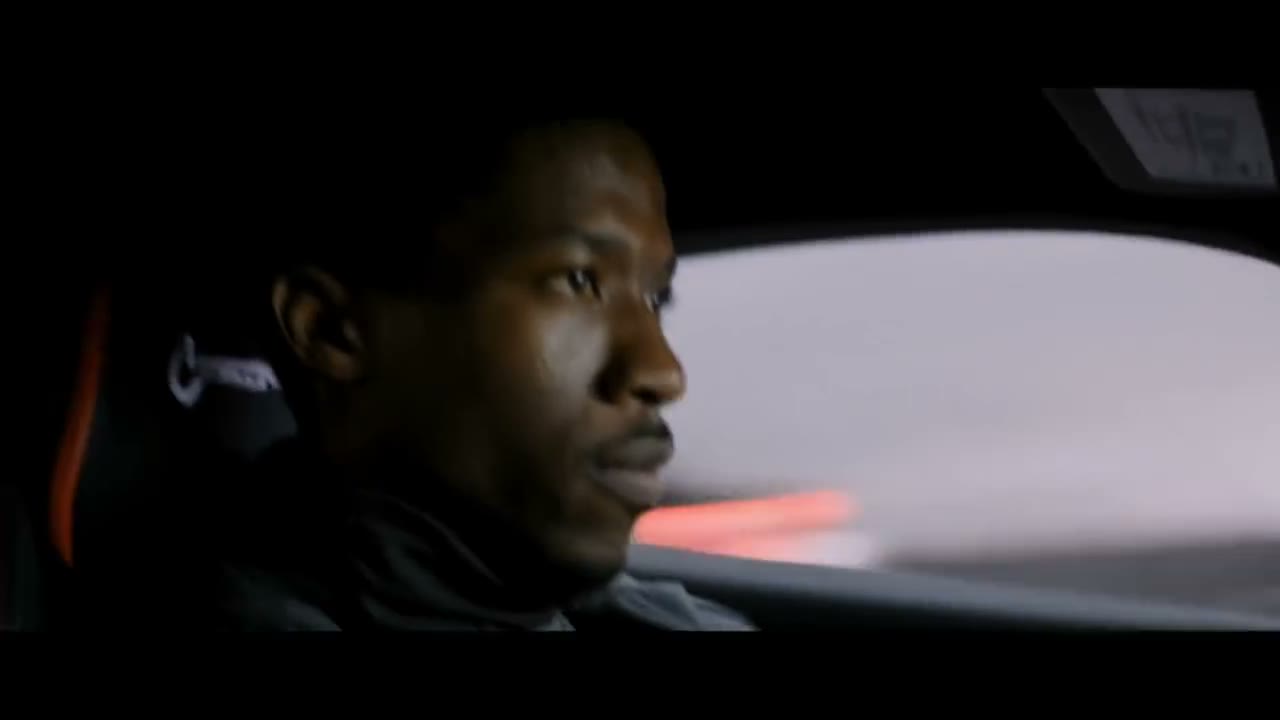
Cinematic car chase generated with the Kling 4.0 AI video model
An Omni Reference run in which several drivers and cars stay recognisable across a fast, multi-angle chase.

Generate with Kling 4.0 online

The complete Open Sora video workspace is embedded here and starts with Kling 4.0 selected. You can still compare variants or switch models without losing the rest of the workflow.

Loading the Kling 4.0 AI video generator…

Generation requires an account and uses credits based on the selected model, variant, duration, resolution, and other settings. Failed tasks are refunded automatically.

What is Kling 4.0 and when should you use it?

Kling 4.0 is the fourth generation of Kuaishou's Kling video model, and its focus is control. Instead of hoping a prompt lands, you can pin the opening image, the closing image and up to eight frames in between, then let a single take of up to 30 seconds move through them in order. Omni Reference lets one task draw on up to 15 assets at once: pictures for faces, products and places, clips for motion and camera paths, and short voice recordings. The model can also edit footage you already have, replacing a character, a backdrop or the overall look while the original movement stays put. Sound is part of every render, delivered as a two-channel stereo track. When you are still testing ideas, Kling 4.0 Flash gives you 720p takes faster and for fewer credits.

Maximum length of a single continuous take
30s

Maximum length of a single continuous take

Frames you can pin along one shot
10

Frames you can pin along one shot

Images, clips and voices combined in one task
15

Images, clips and voices combined in one task

Highest output, always with stereo audio
1080p

Highest output, always with stereo audio

Omni Reference

Three references in, one finished shot out

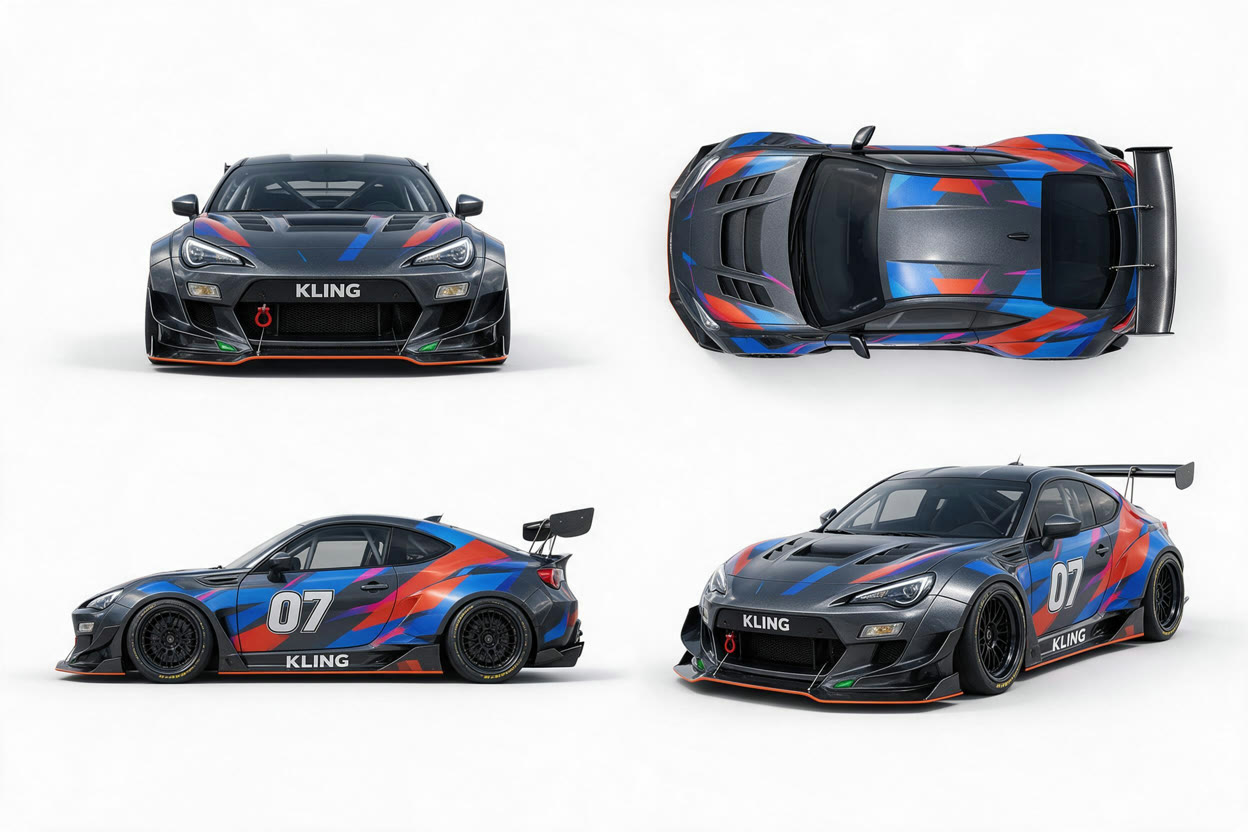
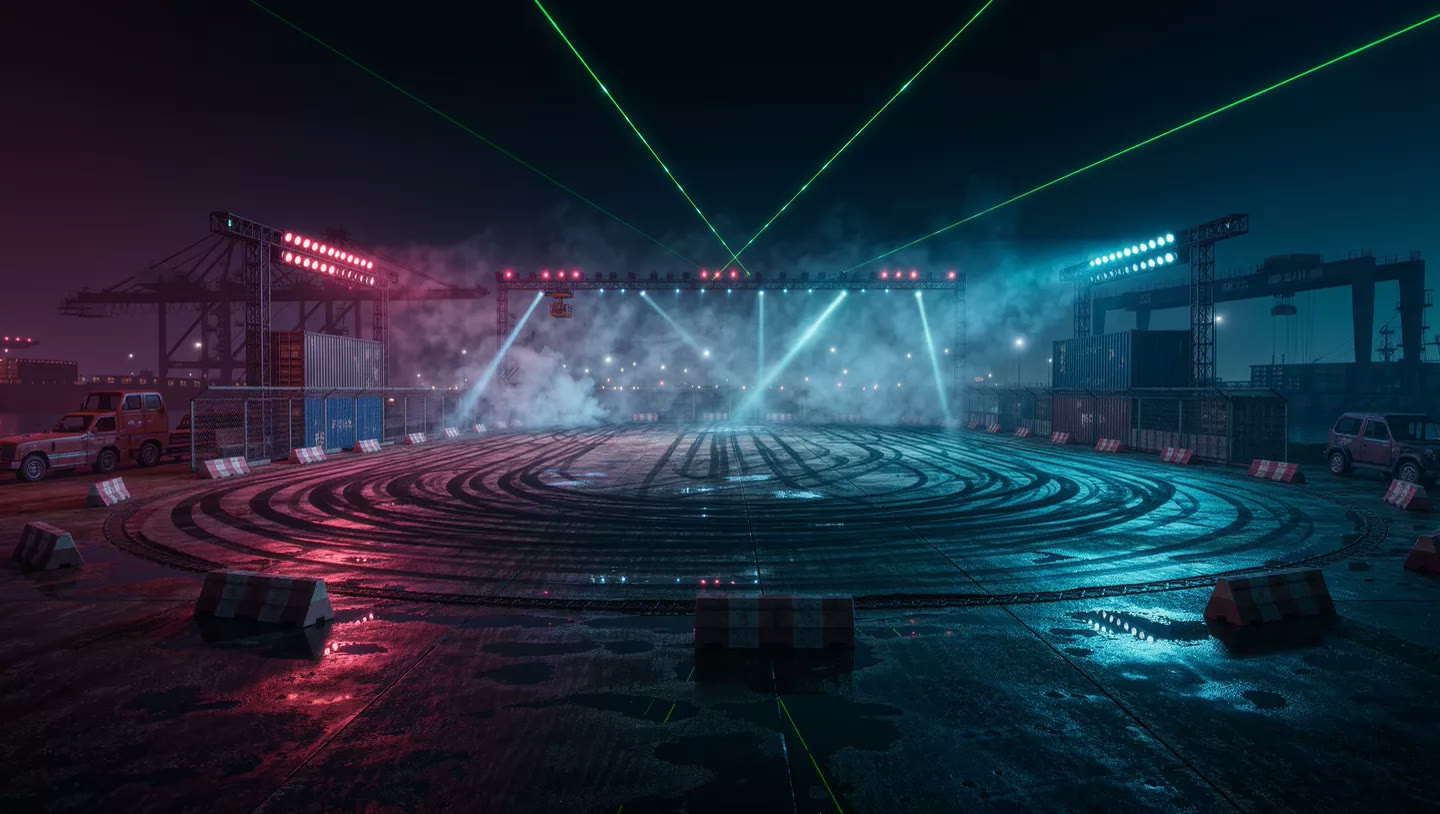
Every asset has a single job here. The design sheet fixes the car, the still sets the venue, and the drone footage provides the camera path and the drift itself. Kling 4.0 assembles them into a new shot that keeps the paint scheme, the lighting and the movement, with no 3D build or stunt driver involved.

Inputs

@Image1 · the car
@Image1 · the car
@Image2 · the venue
@Image2 · the venue
@Video1 · the camera path

“Match the camera path and timing of @Video1. Swap in the race car from @Image1 with its exact livery and number, and stage the drift in the night arena from @Image2 with its lasers and haze. Add tire smoke, a roaring engine and crowd noise.”

What it does best

Map out the whole shot, then fix just the part that's wrong

Long takes that hit every keyframe

Add an opening frame, a closing frame and up to eight in between, then describe the action that links them. The video passes through each image in sequence, so a 15- or 30-second shot keeps to the plan from start to finish instead of wandering off midway.
Change a clip without starting over

Upload footage you already have and say what should change: a different actor, a new room, another costume or a completely new look. Movement, timing and camera stay as they were, so one correction no longer costs you the whole shot.

Turn a storyboard into footage

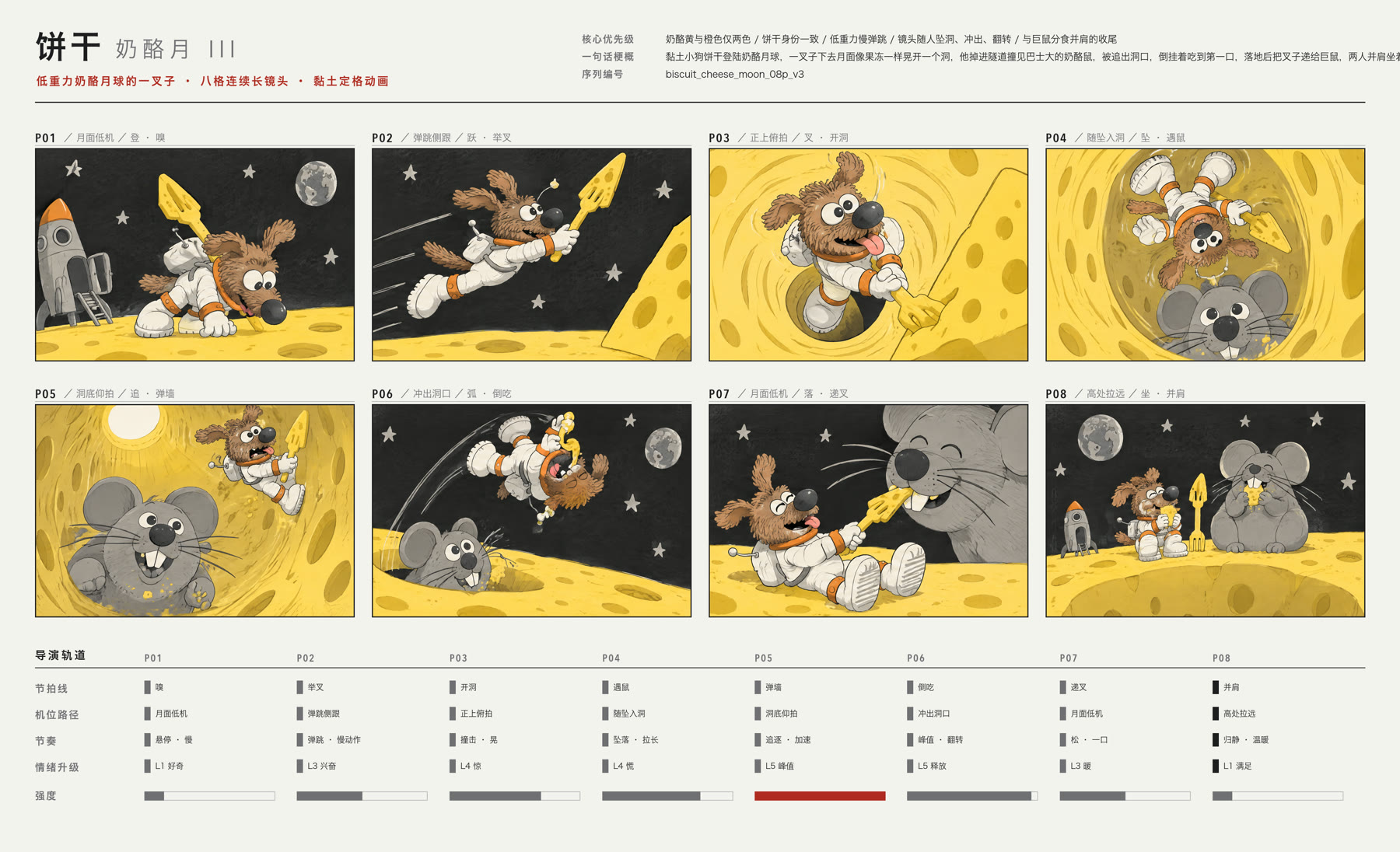
Omni Reference understands storyboards too. Add your panels as one reference image alongside the character design, and Kling 4.0 follows them as the agreed shot list, matching framing, direction of movement and pacing panel by panel. It's a quick route from an animatic or a signed-off board to moving pictures.

Eight-panel storyboard supplied to Kling 4.0 as an Omni Reference image

Kling 4.0 or Kling 4.0 Flash?

Both read prompts the same way and both add stereo sound. Reach for Flash while you explore, and for Kling 4.0 when a shot needs 1080p, more length, keyframes or voice references.

CapabilityKling 4.0Kling 4.0 Flash
Ideal forFinal renders and tightly directed shotsQuick, inexpensive drafts
ModesText, image, keyframes, Omni Reference and editingText, first frame, Omni Reference and editing
Resolution720p or 1080p720p
Length3–30 seconds3–20 seconds
Frame inputsOpening frame, up to 8 keyframes and a closing frameOpening frame only
References10 images, 5 videos (30s combined), 3 audio clips10 images, 5 videos (20s combined)
SoundStereo on every clipStereo on every clip

For productions that can't leave the result to chance

Reuse formats that already work, hold characters steady through a long shot, and land each beat in action, dialogue and product videos.

Fight scenes from a reference

Take the choreography and rhythm of an existing clip and replay it with your own characters, outfits and location.

Dialogue in any language

Produce talking scenes, explainers and spots with convincing lip sync in English, Chinese, Spanish, German, French, Hindi and more.

Before-and-after process shots

Show the raw materials in the opening frame and the finished object in the closing one, and let the model animate how it gets made.

Start generating

How to create video with Kling 4.0

Move from a creative idea to a configured Kling 4.0 generation without leaving this model page.

1

Describe the shot

Write the subject, action, environment, camera, style, timing, and sound. If you have reference media, upload it and explain the role of each asset.

2

Configure Kling 4.0

Keep Kling 4.0 selected, choose the appropriate variant, mode, duration, aspect ratio, resolution, and audio settings, then check the displayed credit cost.

3

Generate, review, and reuse

Start the task, follow progress in the result panel, review the completed video, reuse its settings for another take, or download the finished file.

Kling 4.0 AI video generator FAQ

What is Kling 4.0?

Kling 4.0 is the fourth-generation video model from Kling AI, the video team at Kuaishou, launched in October 2026. It produces continuous shots of up to 30 seconds with stereo sound, accepts up to 10 keyframes, mixes up to 15 image, video and audio references, and can edit footage you upload.

How is Kling 4.0 Flash different from Kling 4.0?

Kling 4.0 outputs 720p or 1080p clips of 3 to 30 seconds and supports multiple keyframes and voice references. Flash outputs 720p clips of 3 to 20 seconds from text, one opening frame, image and video references, or an edit. It costs fewer credits per second, so it suits drafts and experiments.

How do I use multiple keyframes?

On the Image tab, add between 2 and 10 pictures. The first becomes the opening frame, the last becomes the closing frame, and anything in between is a keyframe the video moves through in order. Use the arrows on each thumbnail to reorder them, and give each beat a time in the prompt, such as “by 6s he opens the door”.

Which files can I use as Omni Reference inputs?

Up to 10 images, up to 5 videos totalling 30 seconds, and up to 3 audio clips of 5 to 30 seconds each, with a ceiling of 15 references per task. In the prompt, refer to them as @Image1, @Video1 and @Audio1, numbered by upload order. Flash takes images and videos (20 seconds combined) but no audio.

Can I edit a video I already have?

Yes. On the Video tab, upload one MP4 or MOV file of 3 to 30 seconds (up to 20 seconds on Flash) and describe what to change, for example a new character, another background or a different style. The motion and camera movement of the original are preserved.

Can Kling 4.0 output 4K or HDR?

Kuaishou offers 4K and 10-bit HDR for Kling 4.0 inside its own app. Through the API that Open Sora uses, Kling 4.0 currently delivers 720p and 1080p in standard dynamic range, and Flash delivers 720p.

Do all Kling 4.0 videos have sound?

Yes. Both tiers always return a stereo audio track. You can direct speech, ambience, effects and music in the prompt; if you want no background music or no subtitles, ask for that explicitly.

How many credits does Kling 4.0 use on Open Sora?

Kling 4.0 uses 17 credits per second at 720p and 25 per second at 1080p; Flash uses 10 per second. Edits, and reference runs that include a video, are charged at a lower input rate (10 at 720p and 15 at 1080p on Kling 4.0, 7 on Flash) for the output length plus whichever is longer, the output or the input video. You see the exact total before generating, and failed runs are refunded automatically.

Official Kling 4.0 sources

Model capabilities and media on this page were researched from the developer's official product pages, announcements, and documentation.

Create your next video with Kling 4.0

Open the complete Kling 4.0 AI video generator above, add your prompt or references, and turn the next shot on your list into a finished video.

Start generatingBrowse all models