Works with rough input
Pencil drawings, marker doodles, digital line art, painted concepts and storyboard panels all work as the visual base of a clip.
Our sketch to video AI takes a pencil sketch, digital line art or a storyboard frame and animates it the way you describe. The drawing sets the composition; the model adds motion, depth and — if you ask — a whole new rendering style.
You need an account to generate. Each run spends credits according to model, duration and resolution, and the exact cost is shown on the button. Failed tasks are refunded automatically.
Each pair shows an uploaded drawing next to the animation made from it. Compare how closely the composition is kept while motion and detail are added.
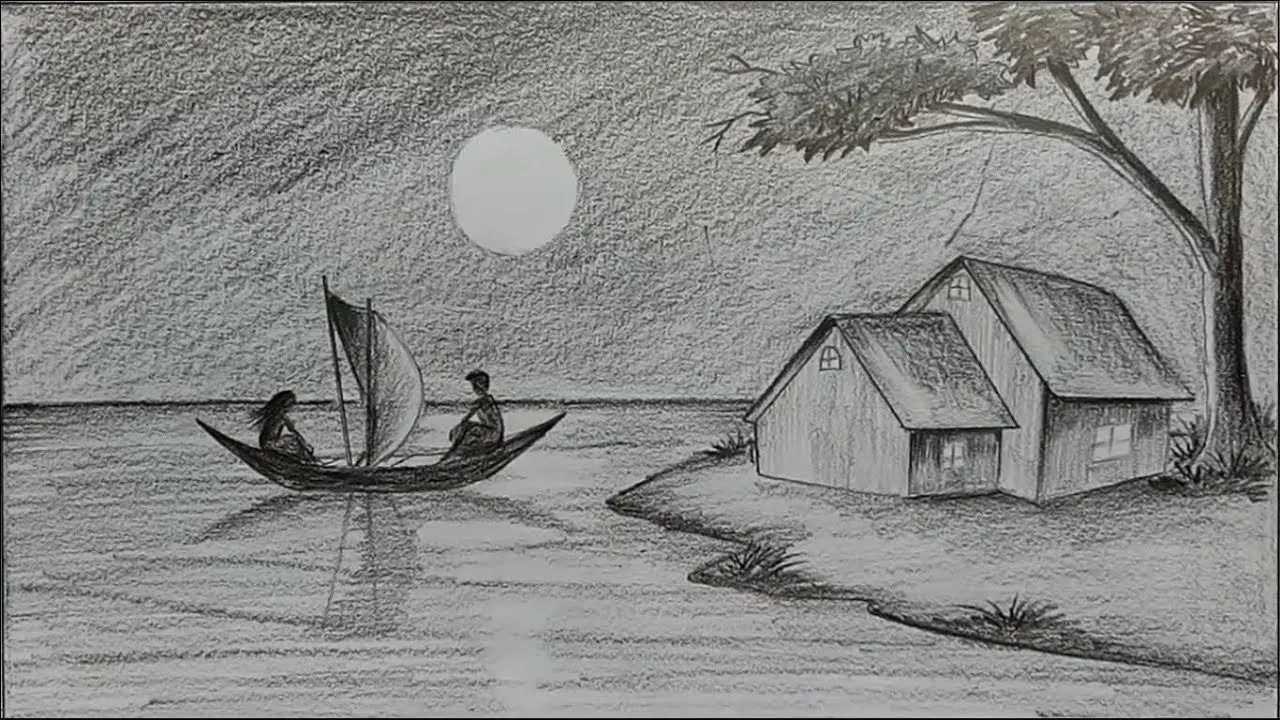 Original sketch
A sketch already answers where things sit and what the shot is about. Sketch to video turns that plan into motion, without waiting for clean artwork or a 3D build.
Seedance 2.0 Mini is the affordable default. Other image-to-video models below trade off faithfulness to the lines, cinematic motion, stylisation and first-and-last-frame control — compare two on the same sketch.
Sketches are loose by nature. These are the things that make them work as a starting point for video.
Pencil drawings, marker doodles, digital line art, painted concepts and storyboard panels all work as the visual base of a clip.
Say what the character does, what the environment does and how the camera moves, rather than accepting a generic wobble or zoom.
Keep the pencil texture, or ask for anime, soft 3D, stop-motion or photoreal rendering on top of the same composition.
Check whether a scene, a beat or a pitch idea works in motion before anyone spends days on clean art, rigs or keyframes.
Clear shapes in, clear motion out. A little care with the drawing goes a long way.
Photograph or scan it straight on in good light. Strong outlines and clear separation between subject and background help the model read the scene.
Describe the action, the camera and the look you want, and note which parts of the drawing should stay put.
Review the motion, then adjust the wording, the duration or the model to get closer to the timing and style you pictured.
Any drawing with a clear subject can move. These are the most useful places to start.
See how a character moves, emotes and wears their costume from a single concept drawing — before committing to a model sheet or rig.
Turn an industrial design or packaging sketch into a short moving presentation for a pitch, long before a 3D model exists.
Add camera and subject motion to storyboard panels to test pacing, blocking and shot order for a film, ad or game cutscene.
Make posters, comics, album art and editorial illustrations move in short loops for social posts and websites.
Explore the mood, scale and camera language of a scene straight from production-design sketches.
Show the journey from a first sketch to a moving image in tutorials, classes or process posts.
Published sketch-to-video demonstrations that show what the workflow can do. Note how clean the input lines are, then try your own drawing above.
Every run shows its credit cost first. Try a few quick drafts from different drawings, then spend on the one that deserves a longer, sharper render.
It is image to video applied to drawings. You upload a sketch as the first frame and describe the motion, and the model generates a clip that follows the composition of your drawing while adding movement, depth and, optionally, a new rendering style.
Pencil and pen drawings, marker doodles, digital line art, painted concepts and storyboard panels all work. Upload them as JPG, PNG or WebP, photographed or scanned straight on.
It is inexpensive and follows an input image closely, which suits early sketches you may want to try many times. For more cinematic motion or higher resolution, switch to another image-to-video model and compare.
No, but it needs to be readable. A simple drawing with confident outlines and a clear subject works better than a detailed one full of overlapping lines. Add what the drawing leaves out in the prompt.
Yes. Ask for it directly — "keep the pencil lines and paper texture" — and avoid words that point toward realism. The model will animate the drawing rather than repaint it.
Yes. Describe the realistic look you want — materials, lighting, lens — and the model will use the drawing as a layout while rendering it as footage. Expect more change from the original lines when you do this.
Name them. Say what should move ("the hair and the cape blow in the wind") and what should stay still ("the building and the lamp post stay fixed"). Precise instructions beat general ones.
Generate one panel at a time and describe the camera and action for each. To make panels flow together, use the last frame of one clip as the first frame of the next, or try the start and end frame generator.
The model fills in what a sketch leaves open, and loose or ambiguous lines give it more room to guess. Clean up the drawing, simplify the prompt, or try a model that stays closer to its input.
No. They are published sketch-to-video demonstrations from other creators and tools, shown to illustrate the technique. Your results depend on your drawing, prompt and model.
Commercial use follows your plan and the terms of service. You need the rights to the drawing you upload and are responsible for any characters or brands it contains.
Upload a drawing, describe the action and see your idea move — long before the final artwork exists.
Animate My Sketch