Animate from a prompt
Write the characters, action, art direction, camera and timing, and the model builds the entire animated scene from nothing but text.
Describe a character and a scene, name the style, and our AI animation generator turns it into a moving shot. Start from words alone, or upload a drawing or character design to animate your own artwork.
You need an account to generate. Each run spends credits according to model, duration and resolution, and the exact cost is shown on the button. Failed tasks are refunded automatically.
Each example shows an opening frame and the animated clip in a different style. The medium you name in the prompt shapes both the look and the way things move.
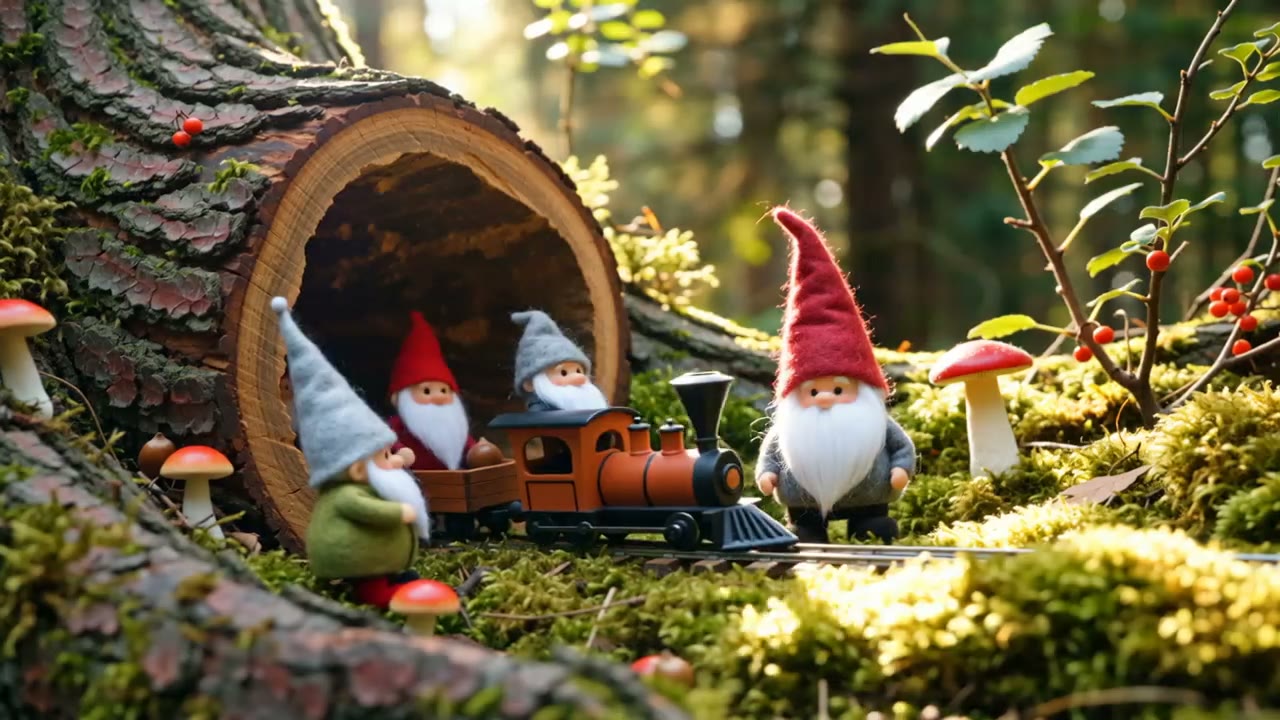 Opening frame
No rigging, no in-betweening, no render farm. With AI animation you describe the characters, the world and the style, and the model animates the whole shot in one pass.
Hailuo 2.3 Standard is the default for expressive, stylised AI animation. The other models here differ in how well they hold a style, follow a prompt, keep an input image and support sound — try the same idea on two of them.
Two ways in, many styles out, an animated video at the end, and settings that match where the animation will be seen.
Write the characters, action, art direction, camera and timing, and the model builds the entire animated scene from nothing but text.
Switch Create from to Image and upload a character design, illustration or concept frame to bring your existing art to life.
Ask for 3D cartoon, anime, clay, felt, puppets, pixel art, ink, paper craft, black-and-white or a mix of them.
Choose model, aspect ratio, resolution and duration to match a Short, a Reel, a YouTube intro or a presentation slide.
Name the style clearly and keep the action simple — that is most of the craft.
Write the scene, or upload artwork whose character, colours and framing you want to keep.
Name the medium and its materials, what the characters do, how the camera moves and how fast it all happens.
Watch the result, simplify any conflicting directions, strengthen the style words or switch models to explore another take.
Each style asks for slightly different prompt language. These six are a good place to start.
Rounded characters, warm family-film lighting and clear, readable actions for short story moments and social clips.
Retro game moments, looping backgrounds and sprite-style characters with a nostalgic, low-resolution charm.
Wooden, fabric or marionette-style characters on handmade sets, moving with the charming stiffness of real puppets.
Sculpted characters with fingerprints and imperfect edges, miniature sets and the stepped motion of stop-motion animation.
Soft handmade scenes with stitching, fuzzy fibres and cosy lighting — ideal for children's stories and gentle brand spots.
Bold shapes, ink textures and high contrast for music visuals, title sequences and striking editorial pieces.
Published examples of different animation styles generated with AI. Borrow the style words you like and apply them to your own characters above.
The credit cost of every run is shown before you generate. Try the same AI animation in a few styles on short drafts, then render the one you love at full length.
It is a video model prompted to produce animation rather than live-action footage. You describe the scene and the style — clay, 3D cartoon, pixel art and so on — or upload artwork to animate, and the model generates the moving shot.
It handles stylised, expressive motion well and suits most animation styles on a first try. Seedance, Veo 3.1, Kling v3 and others are available in the model picker if you want to compare interpretations.
Yes. Switch Create from to Image, upload your character design or illustration, and describe the action. The model uses your image as the first frame, so the character's look carries into the animation.
Common ones include 3D cartoon, anime, claymation, felt, puppets, pixel art, ink, paper cut-out and monochrome graphics, and you can combine them. Naming the medium and its materials clearly gives the most consistent results.
Put the style at the start of the prompt, describe its materials and textures, and repeat the key words rather than mixing styles. For a series, reuse the same style paragraph in every prompt.
You can ask for cyclical motion — a walk cycle, turning gears, drifting clouds — and trim the clip in an editor for a seamless loop. Using the same image as the first and last frame on a model with frame control helps the ends match.
No. The model generates the whole clip at once rather than drawing individual keyframes. Styles like stop-motion can still look stepped because the model imitates that motion, but you don't edit frames one by one.
The default Hailuo 2.3 Standard setting produces silent clips, which suits animations you plan to score. Choose a model with native audio if you want sound generated with the picture.
No. They are published AI animation examples in each style, shown to illustrate what the prompt language can achieve. Your results depend on your prompt, input and model.
Six seconds is a good first length: long enough to see the motion and style, short enough to iterate quickly. Extend once the look and action are right.
Commercial use follows your plan and the terms of service. Use original characters or artwork you own, and avoid prompting for existing franchises, logos or recognisable people.
Describe a scene, pick a medium and generate your first animated video — from a single line of text or your own artwork.
Create an Animation